
In this Cisco CCNA tutorial, you are going to learn how to calculate and convert an IP address to binary. Scroll down for the video and also text tutorial.
Calculating an IPv4 Address in Binary Video Tutorial

Moe Manns

I have studied several CCNA courses and I have to say that this one is on the top of these.
IPv4 Address Octets
Each octet in the IP address has a value ranging from 0 to 255. An octet has 8 bits. The rightmost bit is going to be either a 0 or a 1. Then, we're going to double each time we add a bit to the left. So, it goes 1, 2, 4, 8, 16, 32, 64, and 128.
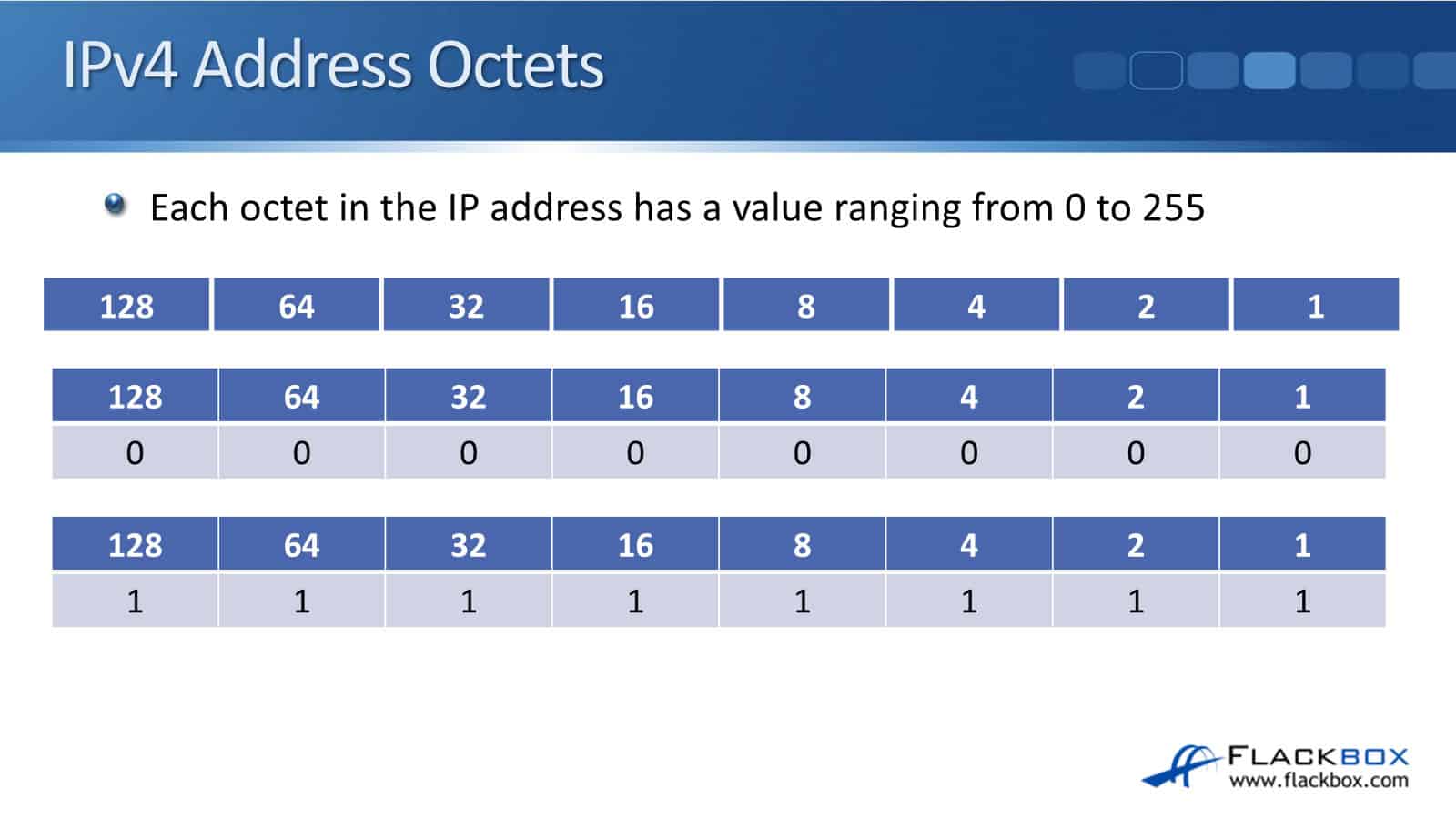
It's binary, so we multiply it by 2. We double each time we go up, and the values are going to range from 0 to 255 for each octet in our IP address. If we put a 0 in on all those bits, obviously, all the 0s add up to 0.
If we put a 1 in on each of the bits, if you add these up, 128 plus 64 equals 192, 192 plus 32 equals 224, 224 plus 16 equals 240, 240 plus 8 is 248, 248 plus 4 is 252, 252 plus 2 is 254, and 254 plus 1 is 255.
Now, if you're wondering how I was able to add those up so quickly, when you get more experienced with networking, this is going to be second nature to you.
IP addressing is really core to everything that you're going to be doing, so you're going to know IP addressing and its format like the back of your hand. That's how we can get the values from 0 to 255.
On each of those octets, the bit pattern on each of those different bits can be any combination of 1s and 0s. It goes from 0, the lowest value, up to 255, the highest value.
Converting First Octet to Binary
In this example, we’ll convert the IP address 192.168.10.15, which is in dotted decimal notation. Let's convert that to binary.
Starting from the right and going to the left, write out 1, 2, 4, 8, 16, 32, 64, and 128. To figure out what your IP address is in binary, start off with the first octet being 192. Start going from left to right.
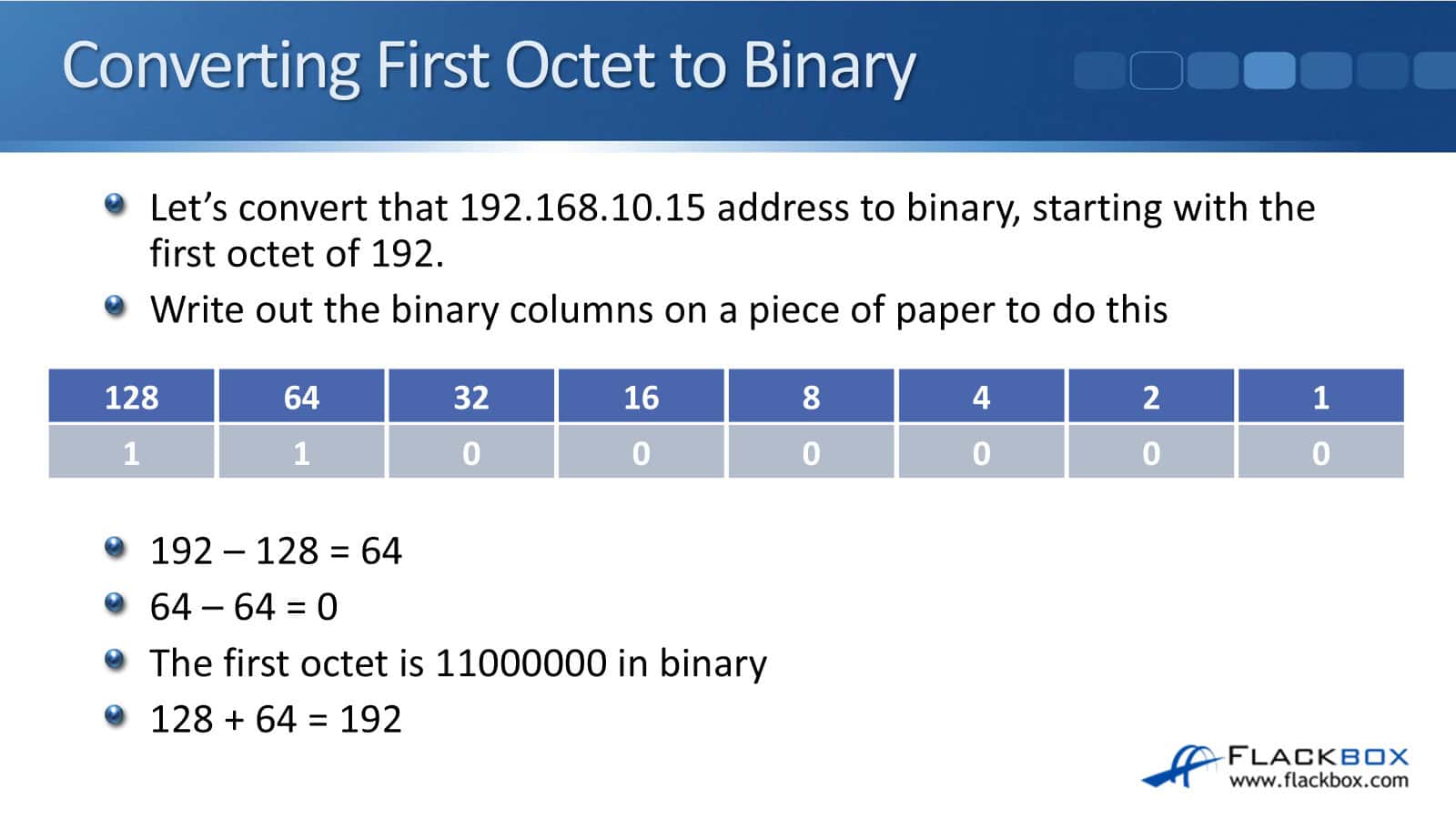
The first thing to ask is, can 128 go into 192, or is 128 equal to or less than 192? Yes, it is. So if that's the case, we put a 1 under 128. Then, what we do is see what we've got left.
192 minus 128 is 64, so we've got 64 left. We then go to the next column and see, does 64 go into 64? Yes, it does, so we put another 1 in there. We then take the 64 away, and we're left with 0.
Then, does 32 go into 0? Obviously not. It doesn't go, so we put a 0 there, and it's obvious we've got 0 left, so we're going to have 0 on all the rest of the columns.
So, if we were going to write 192 in binary, it would be 11000000. To do a final check to check that we got this right, add the ‘1’ digits together. Add 128 plus 64, and it comes up to 192, which is the value we wanted. Therefore, we know that we got that right.
Converting Second Octet to Binary
Let's do this same process again for the second octet of 168. So, does 128 go into 168? Yes, it does, so we'll put a 1 in there. Then, the difference between 168 and 128 is 40. We've got 40 left.
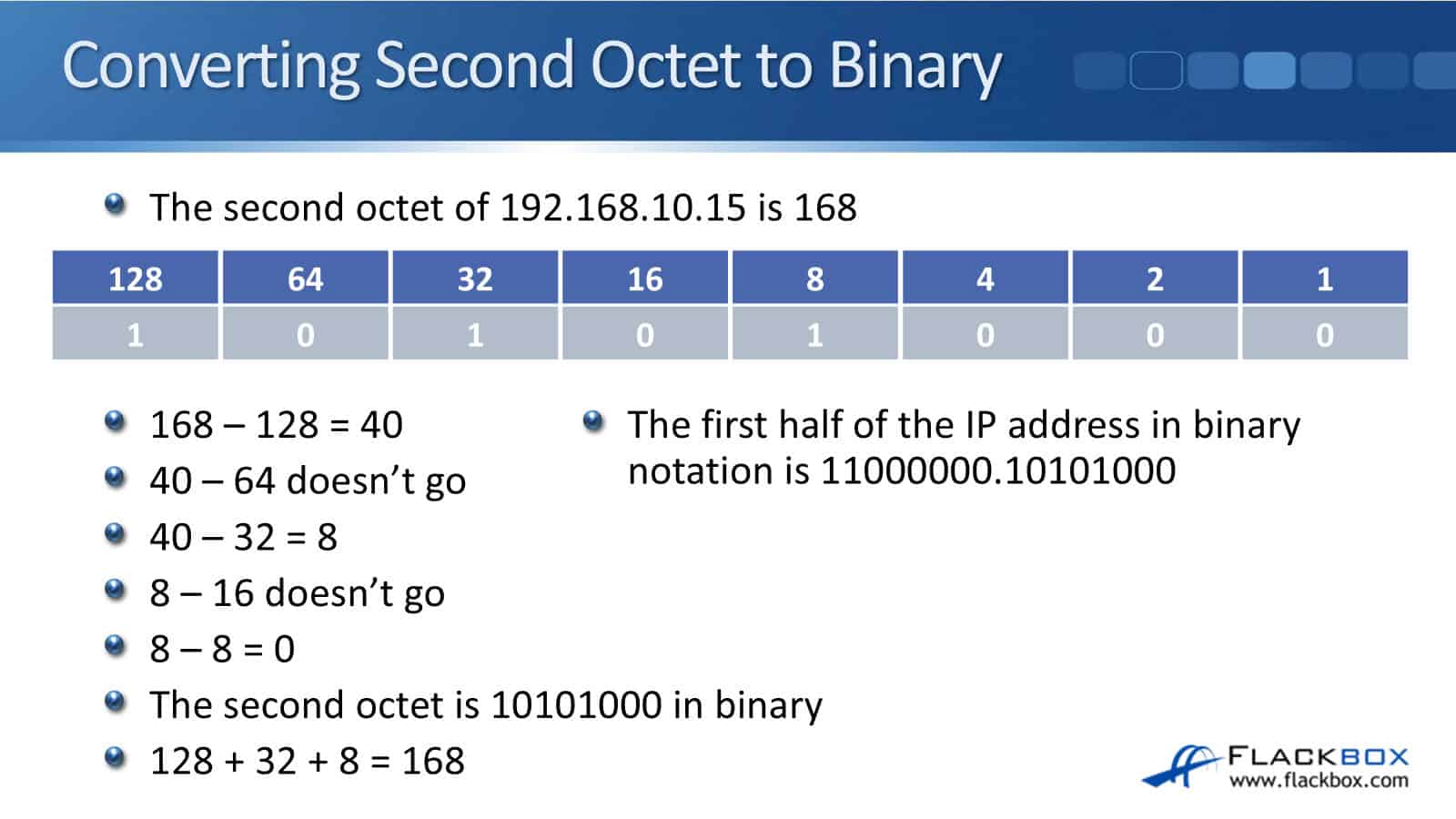
Does 64 go into 40? No, it doesn't, so we put a 0 in that column. Then, does 32 go into 40? Yes, it does, so we put a 1 in there. And then, 40 minus 32 gives us 8 left. 16 does not go into 8, so we'll put a 0 in there.
8 does go into 8, so we put a 1 in, and 8 minus 8 gives us 0 left, so we know we can just fill in the rest of the columns with a 0.
168 in binary is 10101000. For our final check, add the numbers together. 128 plus 32 plus 8 equals 168. We got that one right as well. The first half of our IP address in dotted decimal is 192.168. In binary, it's 11000000.10101000.
Converting Third and Fourth Octets to Binary
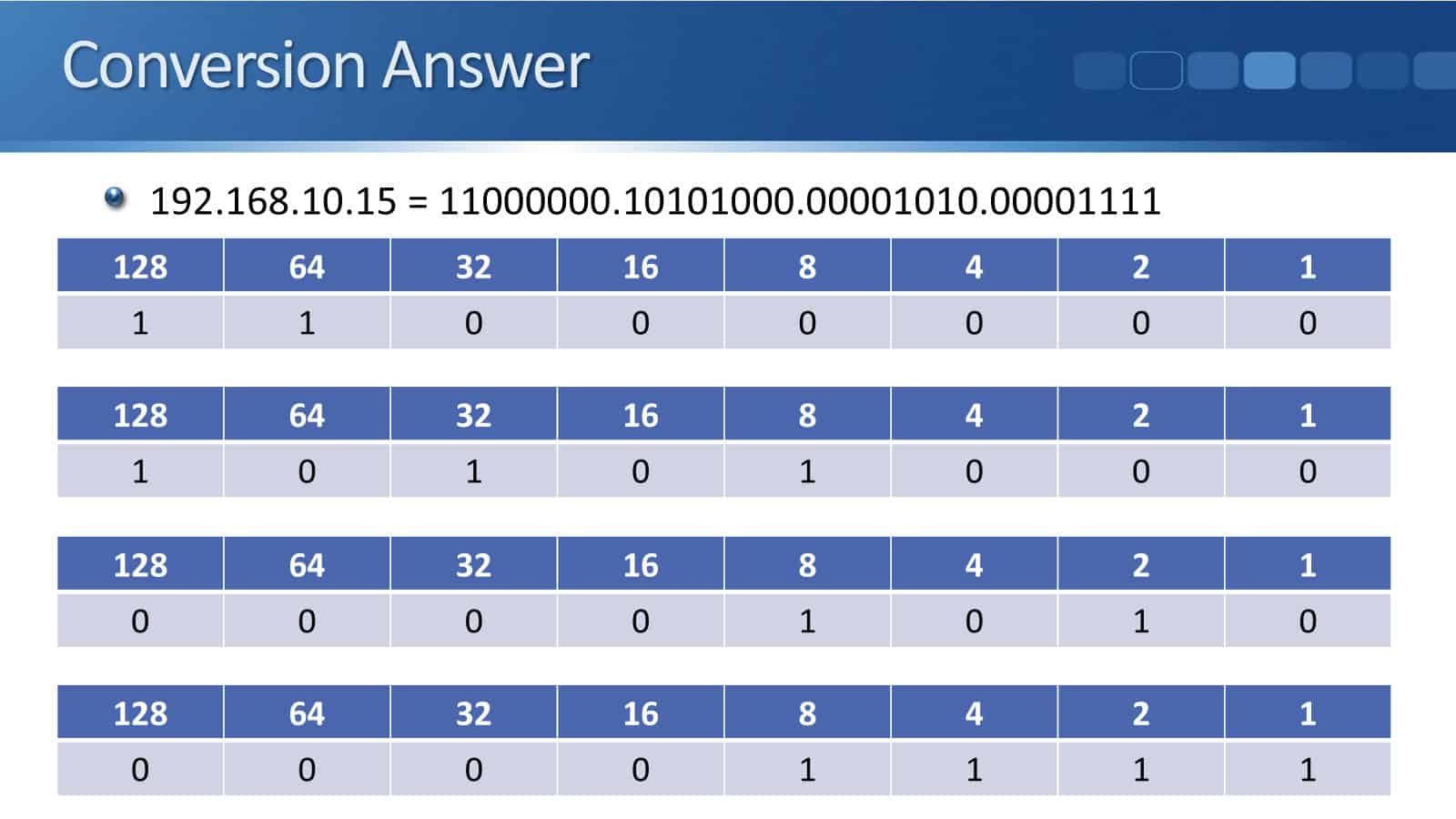
So, the first octet was 11000000, and 128 plus 64 equals 192. The next octet of 168 was 10101000. 128 plus 32 plus 8 equals 168.
The third octet is 00001010. That’s 8 plus 2 equals 10. And then, the last octet of 15, that’s 00001111. 8 plus 4 plus 2 plus 1 is equal to 15.
If you look at the top of the slide, that is the complete conversion of the 192.168.10.15 IP address to binary.
Subnet Masks
To set the boundary between our logical networks, our subnets, the IP address is going to be combined with a subnet mask.
Additional Resources
Configuring IPv4 Addresses - https://www.cisco.com/c/en/us/td/docs/routers/ios/config/17-x/ip-addressing/b-ip-addressing/m_config-ipv4-addr-0.pdf
Converting the Decimal IP Address to Binary - https://study-ccna.com/converting-ip-address-decimal-to-binary/
Cisco Converting from Decimal to Binary - https://www.flackbox.com/cisco-converting-decimal-to-binary
Cisco IPv4 Addresses - https://www.flackbox.com/cisco-ipv4-addresses
Libby Teofilo

Text by Libby Teofilo, Technical Writer at www.flackbox.com
Libby’s passion for technology drives her to constantly learn and share her insights. When she’s not immersed in the tech world, she’s either lost in a good book with a cup of coffee or out exploring on her next adventure. Always curious, always inspired.