In this Cisco CCNA tutorial, you’ll learn about DHCP, the Dynamic Host Configuration Protocol. Scroll down for the video and also text tutorial.
Cisco Dynamic Host Configuration Protocol (DHCP) Video Tutorial

Mahmoud Sammour

I finished the CCNA exam 2 hours ago and I passed it with a score of 924! Thank you a lot for putting your time to make courses that truly helps, thank you.
DHCP is a client/server protocol that automatically provides a host with its IP address and other related configuration information like its subnet mask and default gateway.
The DHCP clients obtain their IP configuration information from the server, rather than being manually configured. So, this can save you a lot of legwork.
To manually configure an IP address on a Windows host, go to Control Panel, then go to the network settings. Find your network card, go to the properties, and then the Internet Protocol version 4, the IPv4, properties. And in there, choose to use the following IP address and manually type in an IP address, subnet mask, default gateway, and DNS server.
How DHCP Works
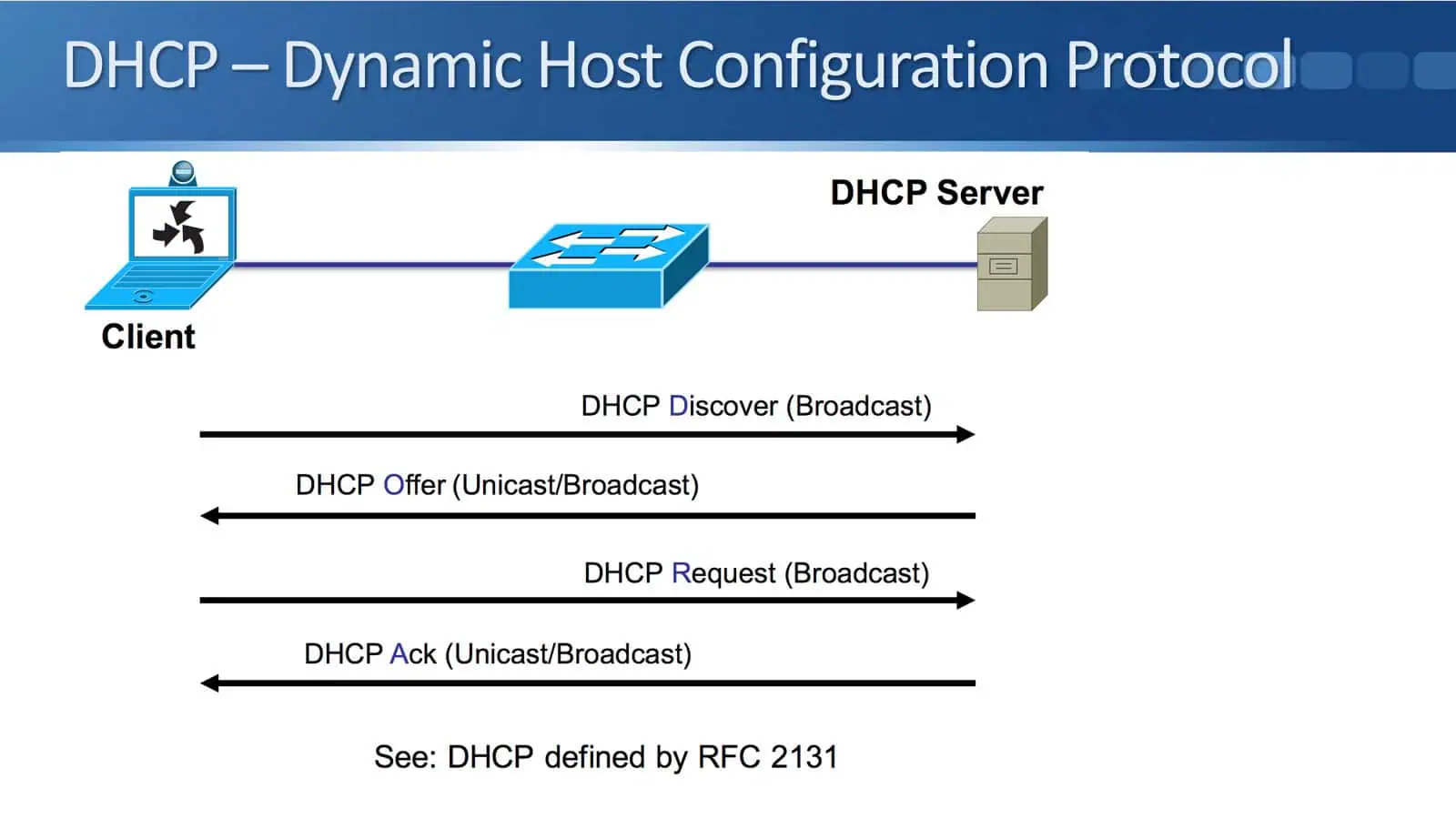
The client sends a DHCP Discover message, which is broadcast traffic. The DHCP server will then reply back with a DHCP Offer. Then the client will reply back with a DHCP Request, and then finally, the DHCP server sends a DHCP Acknowledgement to the client. At that point, the client will have its IP information, like the IP address, etc.
DHCP Benefits
Imagine if you worked in a large campus where you had 5000 hosts. It would obviously be super inconvenient to physically walk around all 5000 hosts and manually configure them with an IP address.
Also, if you did that, it's very likely on some of them you would accidentally make a misconfiguration like a typo or accidentally enter some duplicate IP addresses.
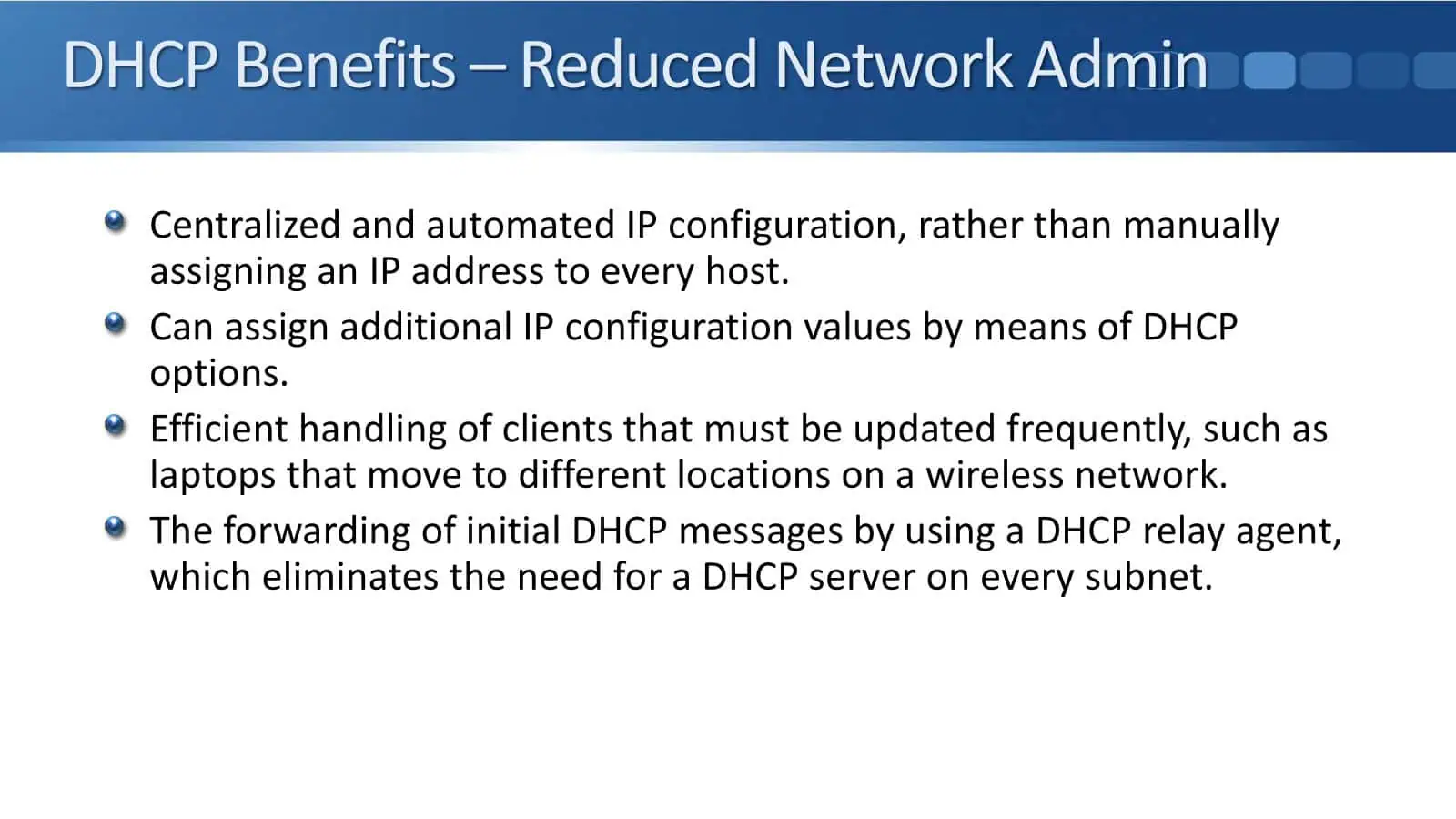
By using a DHCP server, that gives you centralized and automated IP configuration in that one central location, and you know that you're not going to have any mistakes happening, much easier than manually assigning an IP address to all your individual hosts.
You can also add additional IP configuration values by using DHCP options. For example, if you're using IP phones in your office, they need to learn where their server is. That's their TFTP server. You can give them that information using DHCP. It gives efficient handling of clients that must be updated frequently, such as laptops that move to different locations on a wireless network.
In your campus, different physical areas of the network are going to have different IP subnets and different VLANs. It would be really inconvenient if you had to manually change the IP address on your laptop every time you move to a different location in the network.
By using DHP, the laptop will automatically be updated with a correct IP address. And lastly, the forwarding of initial DHCP messages by using a DHCP relay agent eliminates the need for a DHCP server on every subnet.
In a large campus where you do have multiple subnets, you don't need to build a DHCP server on every single one. You'll have one centralized DHCP server, maybe two for redundancy, and they will have different scopes for the different subnets. And whenever a client comes online, it will automatically be given an IP address for the correct subnet.
DHCP also stops you from accidentally putting in a typo or configuring duplicate IP addresses.
DHCP Clients
Desktop PCs and laptops are good candidates to be DHCP clients because typically, you're going to have a lot of those in the office. You don't want to have to manually go and configure them all.
Using DHCP saves you having to do that. Your normal desktop PC will make outgoing connections to the Internet and to other internal hosts, other internal servers in your network, but it's not going to be taking direct incoming connections.
You're not running any services on there, so you're never going to have somebody outside it directly connecting to that host. It doesn't need to have a fixed IP address. It doesn't matter if the IP addresses change over time, and that can happen with DHCP.
Your servers and network infrastructure devices, on the other hand, like your routers, your switches, and your firewalls, are not good candidates to be DHCP clients. They're mission-critical devices that are required for the running of the network and for its services to function.
Therefore, their IP addresses are going to be fixed. They have to stay the same because they're going to be accepting incoming connections.
You're going to manually configure them to make sure that they never change, and also, you don't want them to be reliant on the DHCP server to be up and running.
Additional Resources
IP Addressing: DHCP Configuration Guide: https://www.cisco.com/c/en/us/td/docs/ios-xml/ios/ipaddr_dhcp/configuration/15-sy/dhcp-15-sy-book/config-dhcp-server.html
DHCP Overview: https://www.cisco.com/en/US/docs/ios/12_4t/ip_addr/configuration/guide/htovdhcp.pdf
Configure Cisco router as a DHCP client: https://study-ccna.com/configure-cisco-router-as-a-dhcp-client/
Libby Teofilo

Text by Libby Teofilo, Technical Writer at www.flackbox.com
Libby’s passion for technology drives her to constantly learn and share her insights. When she’s not immersed in the tech world, she’s either lost in a good book with a cup of coffee or out exploring on her next adventure. Always curious, always inspired.